
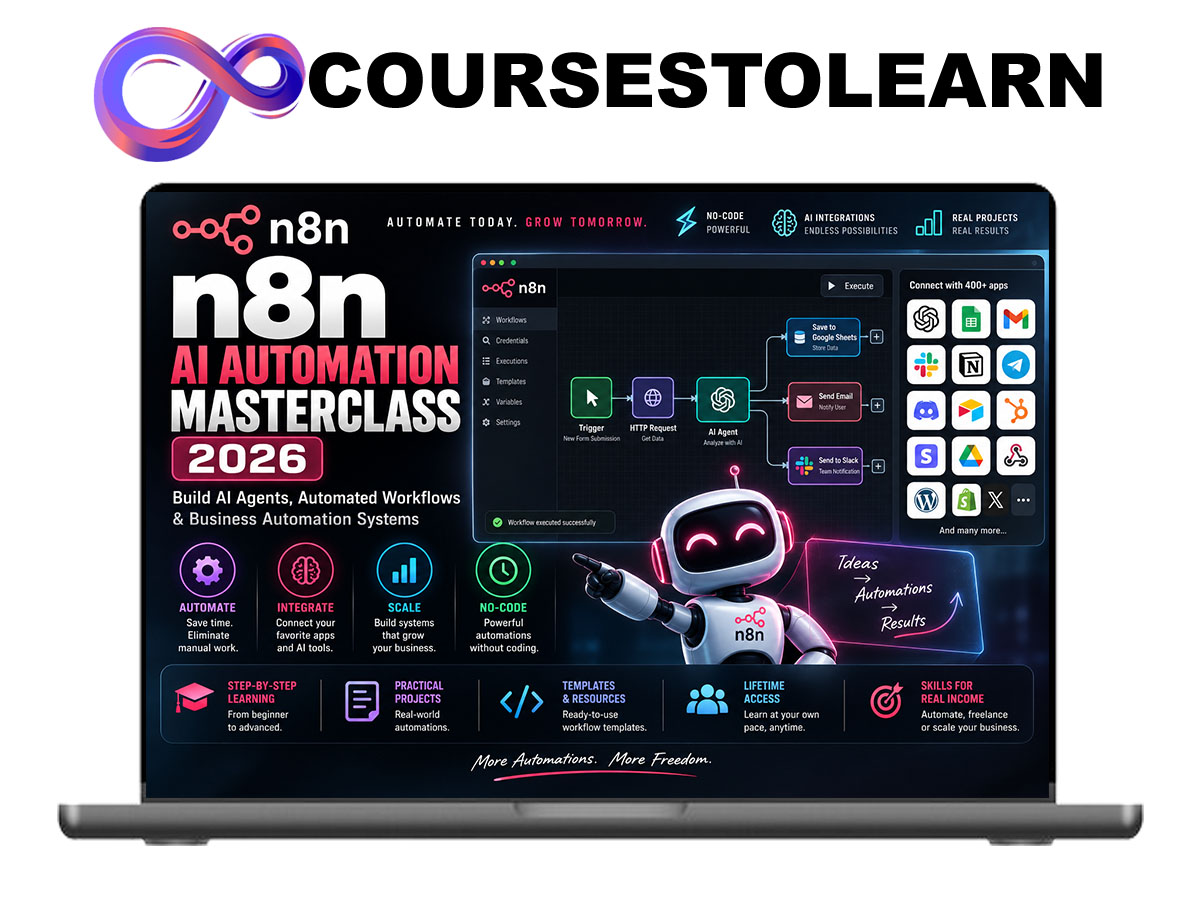
Build AI Agents, Automated Workflows & Business Automation Systems with n8n
n8n AI Automation Masterclass 2026 is a practical, project-based course designed to teach you how to build powerful automated workflows, AI-powered systems, and business processes using n8n.
Instead of spending hours manually moving information between applications, sending repetitive emails, updating spreadsheets, processing leads, or organizing data, you’ll learn how to design workflows that perform these tasks automatically.
The course starts with the fundamentals of triggers, actions, nodes, data mapping, APIs, and webhooks before progressing into more advanced automation concepts such as conditional logic, loops, error handling, databases, AI models, and intelligent agents.
Most importantly, this isn’t a course built around theory alone.
You’ll build practical automation systems step by step, learning how information moves through a workflow and how individual services can be connected into larger business systems.
By the end of the course, you’ll understand how to go from:
Manual Process → Workflow Map → Trigger → Data Processing → AI/Logic → Action → Monitoring
Whether you want to automate your own business, improve productivity, build AI agents, or offer automation services to clients, this course gives you a structured foundation for building useful n8n systems.
What You’ll Learn
Inside the n8n AI Automation Masterclass 2026, you’ll learn how to:
- Understand the n8n workflow environment.
- Build automations from scratch.
- Work with triggers, actions, and nodes.
- Connect different applications and services.
- Understand APIs without needing advanced programming knowledge.
- Use webhooks to receive real-time data.
- Transform and map data between workflow steps.
- Create conditional and multi-step workflows.
- Integrate AI models into automations.
- Build AI-powered assistants and agents.
- Automate email and lead-management processes.
- Create content automation systems.
- Connect spreadsheets and databases.
- Handle workflow errors and failed executions.
- Build reusable automation templates.
- Design complete business automation systems.
The n8n Automation Method
Throughout the course, you’ll use a simple framework for designing automations:
Identify → Map → Trigger → Process → Decide → Act → Monitor
Step 1 – Identify
Find a repetitive process that consumes unnecessary time.
Examples include:
- Processing incoming leads
- Sending repetitive emails
- Moving information between applications
- Creating reports
- Organizing customer information
- Generating content
- Processing form submissions
Step 2 – Map
Break the process into individual steps before building anything.
You’ll determine:
- Where information originates
- What information is required
- What decisions need to happen
- Which applications are involved
- What the final result should be
Step 3 – Trigger
Every workflow needs something that starts it.
You’ll learn how to work with:
- Scheduled triggers
- Webhooks
- Form submissions
- Application events
- Manual triggers
- API requests
Step 4 – Process
Once information enters the workflow, it often needs to be cleaned, transformed, filtered, or reorganized.
You’ll learn how n8n handles data between nodes and how to prepare information for subsequent actions.
Step 5 – Decide
Not every workflow should perform the same action for every input.
You’ll learn how to introduce logic such as:
If condition A is true → perform action A
Otherwise → perform action B
This allows you to create dynamic workflows instead of simple one-direction automations.
Step 6 – Act
The workflow performs the required action.
For example:
New Lead → Analyze Information → Qualify Lead → Update CRM → Send Personalized Email → Notify Sales Team
Step 7 – Monitor
Reliable automation requires monitoring.
You’ll learn how to review executions, identify failures, handle errors, and improve workflows over time.
Course Modules
Module 1: Introduction to n8n
Start with the fundamentals of workflow automation.
- What Is n8n?
- Understanding Workflow Automation
- Exploring the n8n Interface
- Nodes & Connections
- Creating Your First Workflow
- Executing and Testing Workflows
Module 2: Triggers, Actions & Nodes
Understand the building blocks of every n8n workflow.
- Trigger Nodes
- Action Nodes
- Manual Triggers
- Scheduled Workflows
- Application Events
- Connecting Multiple Nodes
- Understanding Workflow Execution
Module 3: Understanding Data in n8n
Data is at the center of automation.
Learn how to:
- Understand Input & Output Data
- Map Fields Between Nodes
- Work with JSON
- Transform Information
- Filter Data
- Combine Data
- Reference Previous Nodes
- Debug Data Problems
Module 4: Logic & Conditional Workflows
Build automations that can make decisions.
Topics include:
- If Conditions
- Switch Logic
- Filters
- Multiple Workflow Paths
- Loops
- Data Validation
- Conditional Actions
Example:
Lead Arrives
↓
Check Lead Information
↓
Qualified?
→ Yes → Add to CRM + Notify Sales
→ No → Add to Follow-Up List
Module 5: APIs for Automation
Learn one of the most valuable skills in automation: connecting services through APIs.
- What Is an API?
- API Requests
- HTTP Methods
- Authentication
- Headers
- Query Parameters
- Request Bodies
- Understanding API Responses
- Connecting Services Without Native Integrations
Module 6: Webhooks
Learn how to create workflows that respond to events in real time.
- What Is a Webhook?
- Creating Webhook Endpoints
- Receiving Data
- Testing Webhooks
- Processing Incoming Requests
- Returning Responses
- Connecting Forms & External Applications
Module 7: AI Automation with n8n
Combine workflow automation with artificial intelligence.
Learn how to build workflows that can:
- Analyze text
- Categorize information
- Summarize documents
- Generate content
- Extract structured information
- Draft responses
- Process customer requests
You’ll also learn how to structure prompts and pass dynamic workflow data into AI models.
Module 8: Building AI Agents with n8n
Move beyond simple AI requests and explore agent-style workflows.
- Understanding AI Agents
- Agent Instructions
- AI Tools
- Memory Concepts
- Knowledge Sources
- Decision-Making Workflows
- Multi-Step AI Tasks
- Human Approval Steps
Example:
Customer Request
↓
AI Agent Analyzes Request
↓
Retrieve Relevant Information
↓
Select Appropriate Action
↓
Generate Response
↓
Human Approval / Automatic Delivery
Module 9: Email Automation
Build useful email workflows.
Projects include:
- Automated Email Responses
- Email Classification
- Lead Follow-Ups
- Personalized Messages
- Internal Notifications
- AI Email Summaries
- Email-to-Database Workflows
Module 10: Lead Generation & CRM Automation
Create a complete lead-processing system.
Example workflow:
Form Submission
↓
Validate Lead
↓
Enrich Information
↓
AI Qualification
↓
Assign Lead Score
↓
Add to CRM
↓
Send Personalized Response
↓
Notify Sales
You’ll learn how each stage works and how to adapt the system to different businesses.
Module 11: AI Content Automation
Build workflows for content operations.
- Content Idea Generation
- Research Workflows
- Article Brief Creation
- Social Media Drafts
- Content Repurposing
- Approval Workflows
- Content Database Management
The focus is on assisting content production while keeping appropriate human review in the process.
Module 12: Spreadsheet & Database Automation
Learn how to automatically store and retrieve information.
- Reading Spreadsheet Data
- Adding New Records
- Updating Existing Records
- Searching Records
- Database Concepts
- Synchronizing Information
- Avoiding Duplicate Data
Module 13: Advanced Workflow Design
Move from basic automations to more sophisticated systems.
- Multi-Step Workflows
- Sub-Workflows
- Reusable Components
- Loops & Batches
- Advanced Data Transformation
- Dynamic Routing
- Workflow Architecture
Module 14: Error Handling & Reliability
A useful automation needs to work reliably.
Learn how to:
- Detect Workflow Failures
- Handle Missing Data
- Create Error Paths
- Retry Failed Operations
- Log Important Events
- Create Failure Notifications
- Debug Complex Workflows
Module 15: Building Production-Ready Automations
Learn how to turn experiments into organized automation systems.
- Workflow Naming
- Documentation
- Credential Management
- Testing
- Security Fundamentals
- Monitoring
- Maintenance
- Versioning Strategies
Practical Project 1: AI Lead Qualification System
Build an automated lead-management workflow.
New Lead → Validate → AI Analyze → Score → CRM → Personalized Email → Sales Notification
Practical Project 2: AI Customer Support Workflow
Build a system that receives customer questions and organizes them for response.
Customer Message → Categorize → Retrieve Context → AI Draft → Review/Route → Response
Practical Project 3: Automated Content Workflow
Build a structured content pipeline.
Topic → Research → Content Brief → AI Draft → Review → Database → Publishing Queue
Practical Project 4: Automated Reporting System
Build a workflow that gathers information and creates recurring reports.
Collect Data → Process → Analyze → Summarize → Generate Report → Deliver
Practical Project 5: Complete AI Business Automation
The final project combines multiple concepts from the course into one larger system.
You’ll design an automation that includes:
- Trigger
- External Data
- API
- Business Logic
- AI Processing
- Database
- Notifications
- Error Handling
- Human Approval
The objective is to transform a real manual business process into a structured automated workflow.
Bonus Resources
Students also receive practical resources for designing and building workflows:
- n8n Workflow Planning Template
- Automation Opportunity Checklist
- AI Prompt Templates
- API Integration Checklist
- Webhook Setup Guide
- Workflow Debugging Checklist
- AI Agent Blueprint
- Business Automation Templates
- Workflow Documentation Template
Who This Course Is For
n8n AI Automation Masterclass 2026 is designed for:
- Beginners interested in automation
- Entrepreneurs
- Business owners
- Freelancers
- AI enthusiasts
- Digital marketers
- Operations professionals
- Agencies
- Content creators
- Developers
- No-code builders
- Anyone interested in building AI-powered workflows
Programming experience isn’t required to begin, although basic technical knowledge can be helpful as you progress into APIs, data structures, and advanced integrations.
Why Learn n8n Automation?
Modern businesses often rely on many separate applications for email, customer management, marketing, spreadsheets, databases, content, and internal communication.
Automation allows these systems to work together.
Instead of repeatedly performing the same manual process, you can design a workflow once and allow the system to handle predictable steps automatically while keeping humans involved where judgment or approval is required.
This course teaches you to think beyond individual automations and start designing complete systems:
Understand the Process → Design the Workflow → Connect the Tools → Add Intelligence → Test → Monitor → Improve
By the end of the course, you’ll have practical experience building n8n workflows and a framework you can use to identify and automate processes in your own projects, business, or client work.
Educational Disclaimer: This course is an independent educational program and is not an official n8n course unless explicitly stated otherwise. Product and company names are used for identification and educational reference. Software interfaces, features, integrations, and pricing may change over time.

Reviews
There are no reviews yet.